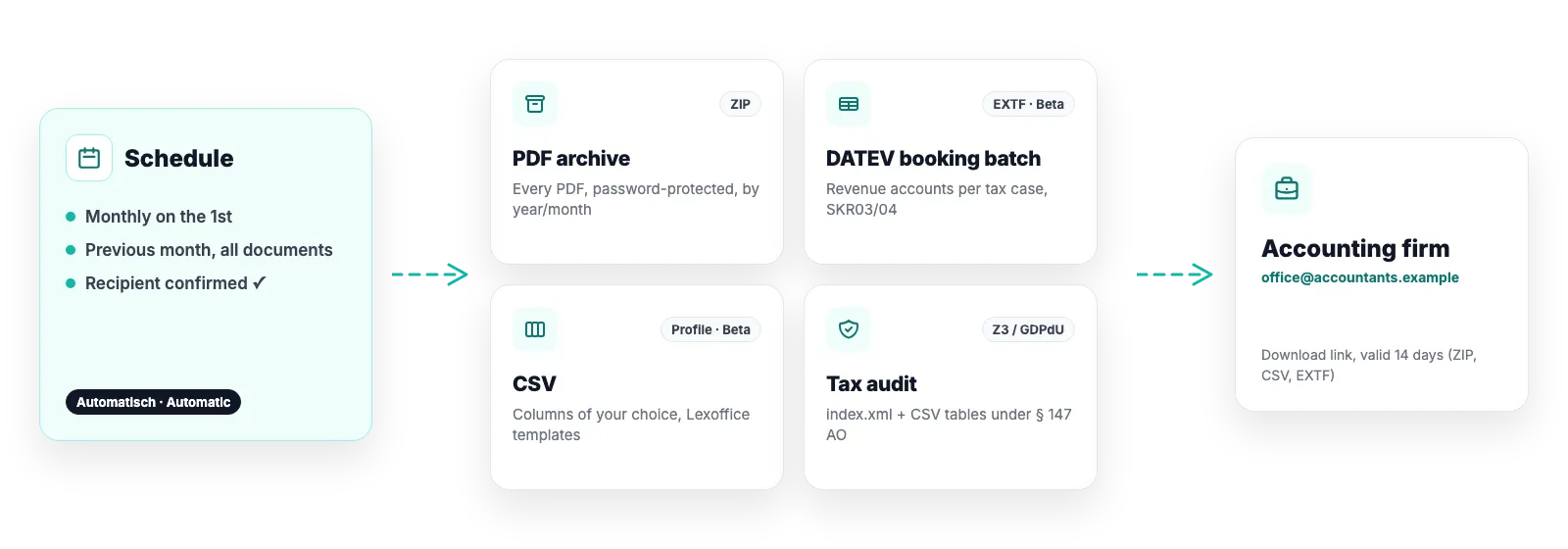
Every firm and every tool wants the columns arranged differently. Instead of a fixed file you build an export profile: tick columns, drag the order, save. Or upload a CSV your tool already understands and the app derives the profile from it.
Over 40 fields: document data, customer, net/gross/tax amounts per rate, tax treatment, payment method
Templates for Lexoffice/Lexware and a plain document list as starting points
Manual for any period, or monthly, quarterly or yearly automatically to your accountant
Closed beta: CSV export is built and tested but unlocked for selected shops only so far. Access is available on request via support; every other capability is open to every shop.
Export profiles
A profile is your column selection. You can create several – one for the firm, one for your own controlling.
Columns freely selectable and sortable, header row in your naming
Start from a template and adjust – an adjusted template stays your profile even if we update the template later
Upload an existing CSV: the app recognises the column names and suggests the mapping
Format: semicolon-separated, UTF-8, ISO dates, decimal point – with protection against formula injection in spreadsheets
Who the CSV export is for
For tools that import bookings from tables, and for anyone who wants to analyse their own numbers.
Accounting firms with their own import wizard: the firm assigns accounts there
Lexoffice, Lexware, sevDesk and similar tools with CSV import
Your own analyses in Excel or Google Sheets – revenue per country, tax rate or payment method
Good to know
A template reproduces a target program’s column structure. It is not a certified export of that program. That is why DATEV gets the real EXTF booking batch instead of a DATEV-flavoured CSV.
Download links for CSV files expire after 14 days for security reasons.
Software, not tax advice: We are not tax advisers: Easy Invoices applies the rules you configure to your shop’s data – checking your documents for tax correctness stays with you and your accounting firm. Details in § 2a of the terms
Frequently asked questions
Can the CSV be sent to my accountant automatically?
Yes. A schedule with format “CSV” and your export profile delivers the file monthly, quarterly or yearly as a download link to confirmed recipients – just like the PDF archive.
Why is there no DATEV template any more?
Because a CSV that merely looks like a booking batch but cannot be imported would be a trap. Since the real EXTF export exists, the template has been retired. Existing profiles are kept.
Strictly necessary cookies are always set. The three optional purposes below are set only with your consent — you can choose each one separately and change your decision at any time via “Cookie settings” in the footer. Details in our Privacy Policy
.
The optional purposes are: Statistics (Google Analytics 4, Google Ireland Limited), Marketing (Meta Pixel and Conversions API, Meta Platforms Ireland Limited) and Company identification (Pipedrive Web Visitors / Leadfeeder Oy, Finland — uses your IP address to determine which company is visiting us, and files it as a sales contact). “Adjust settings” lists exactly which data each one transmits.
For statistics and marketing, data may be transferred to the USA and combined there with data from other sources. Google and Meta are certified under the EU-US Data Privacy Framework; a level of protection equivalent to the EU still cannot be guaranteed. By making your selection you expressly consent to this transfer (Art. 49 (1) (a) GDPR). A withdrawal takes effect immediately, for the future.